Authentication Provider API
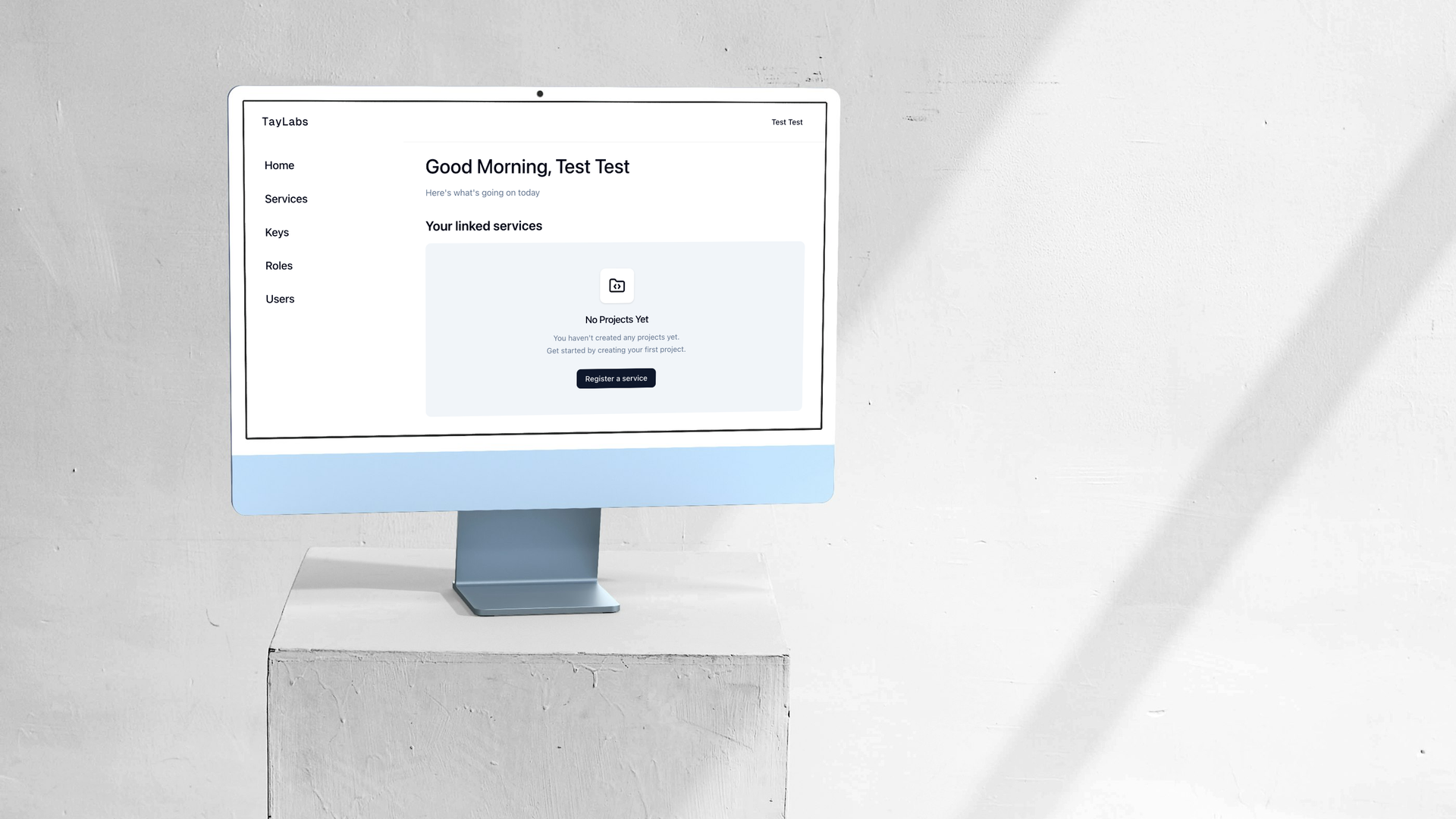
Consolidating Identity & Access Management
Complex Problems, a Simple Solution
Tech Stack
Multi-Tenant & Service Scoped
Permissions are namespaced per service (e.g., auth:user.read, keys:key.read), enabling a single auth instance to gate downstream micro-services effortlessly.
Device-Aware Session Control
Granular session whitelisting tracks IP, browser, and OS metadata per device ID, allowing target revocations or universal logouts across all active contexts.
Deep Dive: The Architecture of Auth
Authentication is a core capability every system requires, but existing SaaS solutions quickly introduce vendor lock-in, unfavorable per-user scaling costs, and opaque user data boundaries. The primary goal of this microservice was to architect an independent, zero-dependency authentication engine designed for self-hosted deployments.
When a user logs in, the service issues a JWT access and refresh token pair. External microservices validate the access token statelessly using a shared secret. However, session state is concurrently maintained in Redis through a active session whitelist mapped to an HTTP-only cookie (_selected_s) and a persistent device identifier (_d_identifier). This dual layer guarantees immediate session revokability without requiring database lookups on every route invocation.
Operational Hardening
Security precautions extend throughout the entire request lifecycle. Rate limiters backed by Redis enforce brute-force protection across authentication endpoints. CSRF protection gates mutating state operations, while TOTP credentials undergo server-side AES-256-GCM encryption before hitting the database. System roles (seeded via startup transactions) are protected with immutability flags to safeguard core infrastructure access.
AES-256-GCM Encryption
Symmetric encryption routine used to secure tokens like the TOTP secrets before persisting them to PostgreSQL. This provides hightened security if the database were to ever be breached, keeping user accounts secure, even after a security incident occurs.
Built-In Management

Fig 01
Service Management
Full control over services in your environment, and what permissions they require for the different routes.
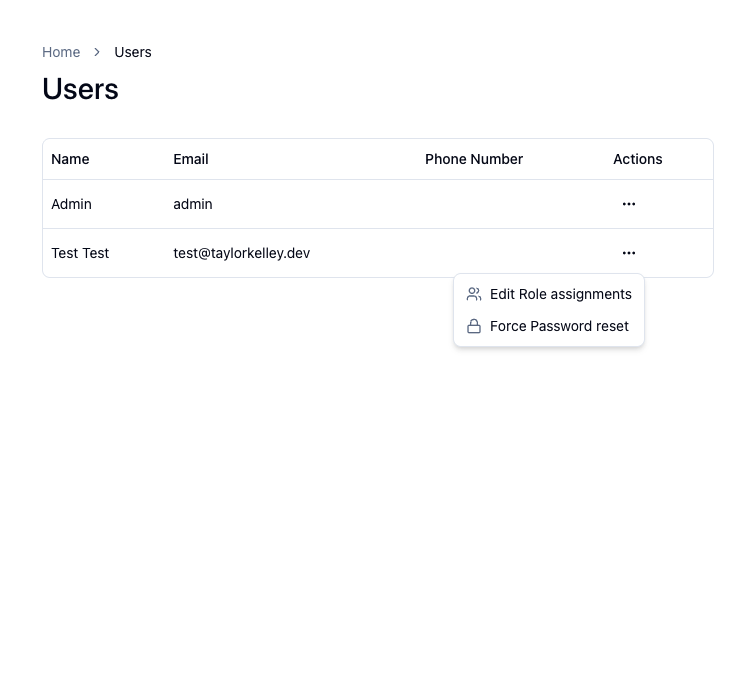
Fig 02
User Visibility
Force users to change their password, add them to more roles, or delete their account.
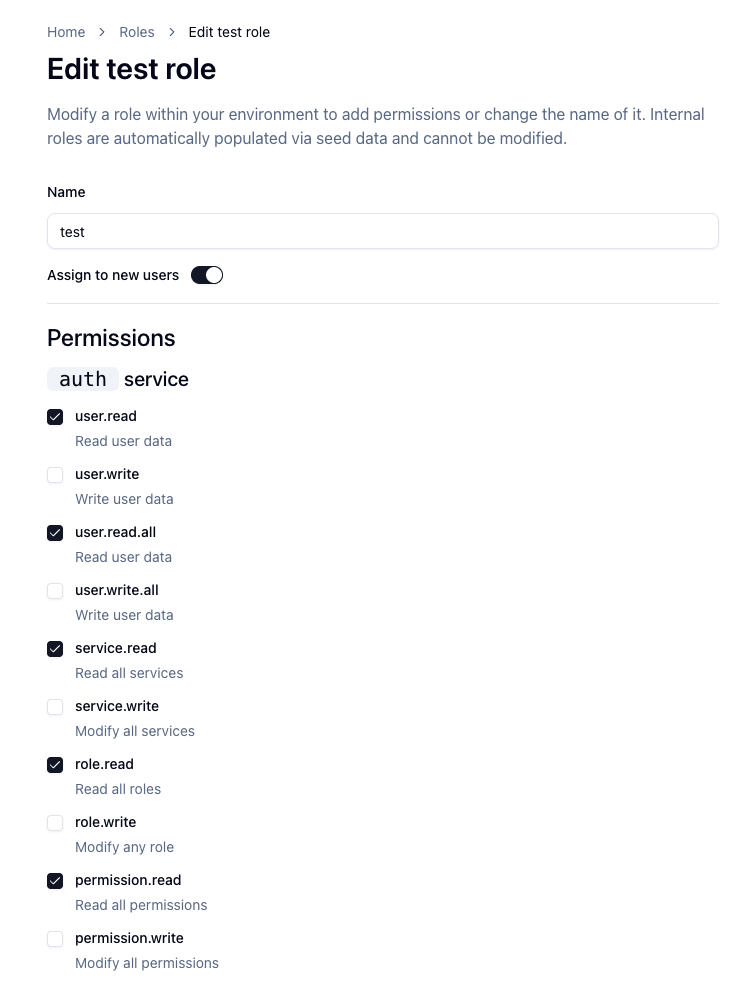
Fig 03
Roles & Permissions Dashboard
Manage the Roles and permissions that are a part of your environment
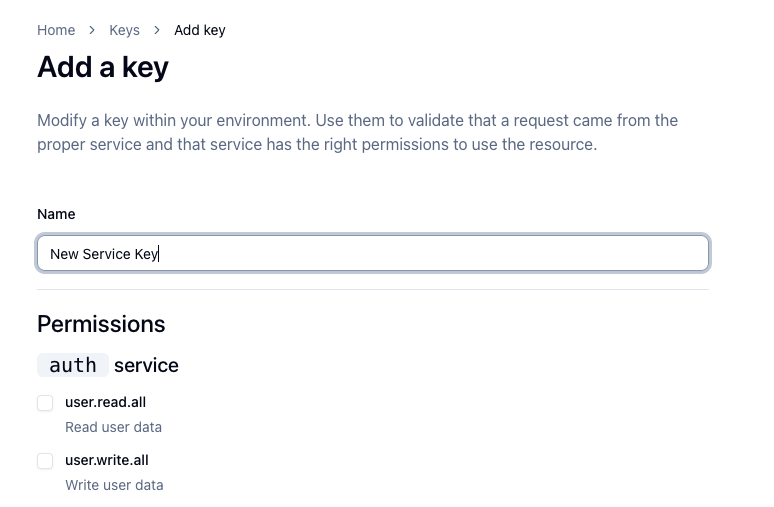
Fig 04
API Key management
Create and revoke API keys for different services in your environment. These keys are hashed at rest for the best security, allowing for secure service to service communication.